Every school timetable is built from the same few pieces: bell times, teachers, subjects, classes and the number of periods each subject gets. What makes one timetable easy and another a two-week ordeal is mostly the order in which you put those pieces together.
This guide walks through that order. It works whether you build the timetable on chart paper, in Excel or with a timetable generator.
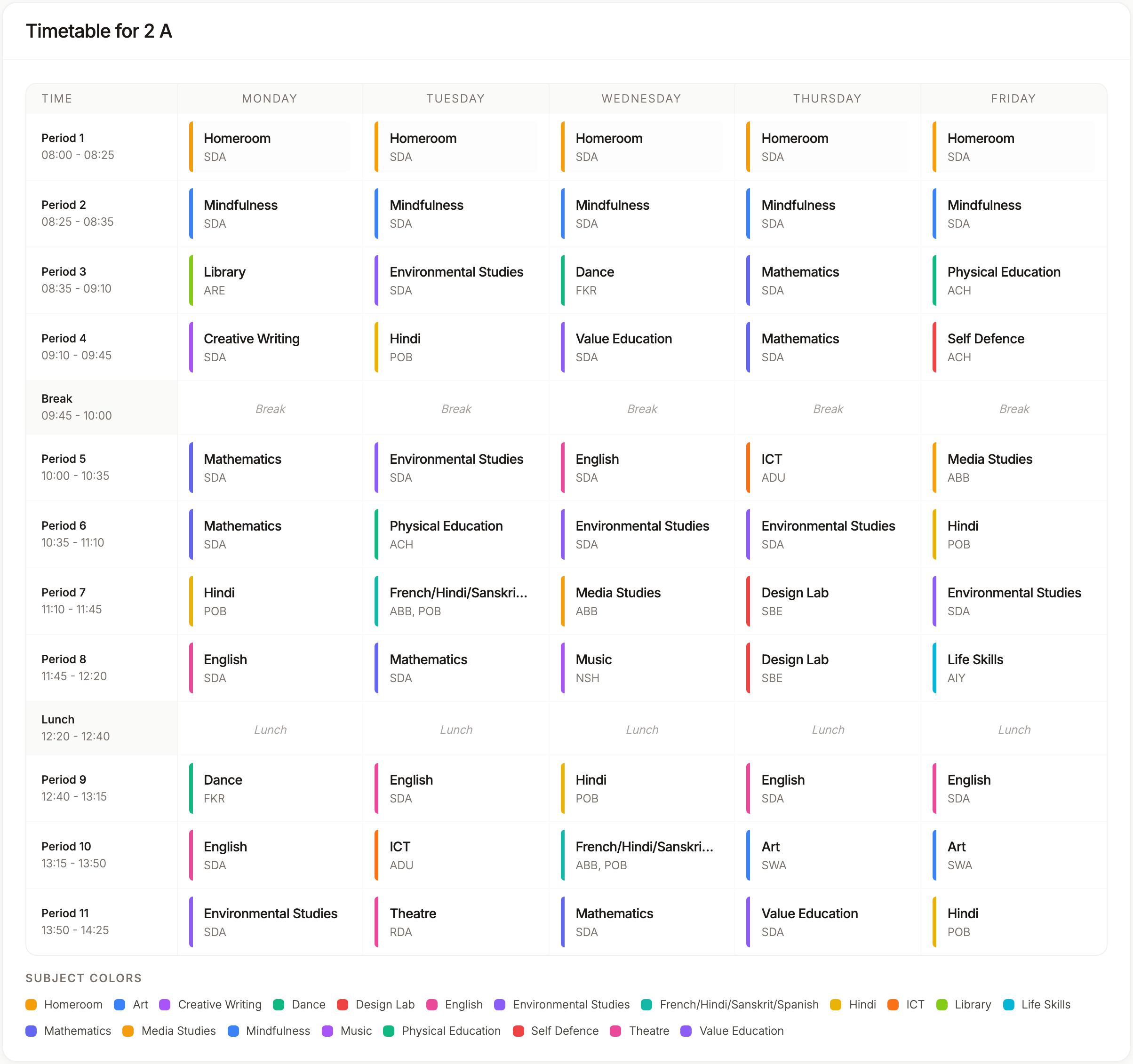
Step 1: Fix Your Bell Times First
Start with the shape of the day, because everything else has to fit inside it.
- When the day starts and ends, including any zero period
- How long each period is, and whether every period is the same length
- Where the breaks fall: short break, lunch, assembly
- Which days you work, Saturday included if your school runs on Saturdays
Write down the number of teaching periods in a week. If you have 8 periods a day for 6 days, that's 48 slots per class. This one number decides whether your plan can work at all.
If you run different days differently (exam days, half days), note those as separate bell schedules rather than exceptions you'll remember later.
Step 2: List Teachers, Subjects and Classes
Next, make three clean lists:
- Teachers, with any who visit only on certain days
- Subjects, with a short code for each (MATH, ENG, PHY)
- Classes and sections, such as 6A, 6B, 6C
Keep names consistent. "Maths" in one list and "Mathematics" in another causes more trouble than it should, especially once you move to a spreadsheet or software.
Step 3: Decide Periods per Week for Each Subject
For every class, decide how many periods each subject gets in a week. Your board's guidance and your school's own priorities set these numbers.
Then add them up. The total for each class must match the slots you counted in Step 1. If Class 8 has 48 slots and your subjects add up to 50, no timetable will ever fit. Fix the numbers now, not after you've placed half the periods.
We go deeper on this in planning periods per week for each subject.
Step 4: Assign a Teacher to Every Subject in Every Class
Now decide who teaches what. For each class and subject, name the teacher.
As you go, keep a running count of each teacher's periods per week. A teacher who teaches 6 sections of Science at 6 periods each already has 36 periods. If your week has 48 slots, that teacher is free for only 12 of them, and every one of their classes is competing for the same few gaps.
Overloaded teachers are the most common reason a timetable won't fit. The teacher overload problem explains how to spot it early.
Step 5: Place the Fixed Periods
Some periods can't move: the class teacher period first thing in the morning, assembly, a games period shared by two sections, a visiting teacher who only comes on Tuesdays.
Place these first. They're the hardest constraints, and everything else has to work around them. But keep this list short. Every fixed period removes freedom from the rest of the timetable.
Step 6: Place the Hardest Classes First
Class 11 and 12 are usually the hardest part. Science, Commerce and Humanities share some teachers, and elective blocks often need several sections to have the same subject at the same time.
Place those blocks before the junior classes. Junior classes have more flexibility, so they can fill in around the senior timetable. Doing it the other way round is how schools end up with a nearly finished timetable and no room for Class 12 Physics.
Step 7: Fill the Rest and Check for Clashes
Now fill in the remaining periods class by class. After each class, check three things:
- No teacher is in two classes at once
- No subject is bunched up, such as three Maths periods on Monday and none on Thursday
- Every subject has all its periods
The first check is the one that hurts if you miss it. A single double-booked teacher can mean redoing a whole day.
Step 8: Review by Teacher, Then Publish
Before you share it, look at the timetable from each teacher's side, not just each class's side. You'll catch things the class view hides: a teacher with six periods in a row, or one with every free period on the same day.
Then publish it to staff, and keep a copy you can print.
Doing It With a Generator
Steps 1 to 4 are the same with software: you still decide bell times, subjects, periods and teachers. What changes is Steps 5 to 7.
In TimeIt360's automatic timetable generator, you enter that data once (or import it from Excel), lock the periods that mustn't move, and run a readiness check that flags missing teachers and classes with too many or too few periods. Then it places every period for the whole school in a few minutes, without ever booking a teacher in two classes at once. You review it by class or by teacher, swap single periods if you want, and publish.
The thinking is still yours. The placing, checking and re-placing is what the generator takes off your hands.
Need help? Use the chat assistant inside TimeIt360 or write to us at support@kvalabs.com.