For CBSE, ICSE and State Board schools
Automatic Timetable Generator for Schools
Enter your teachers, subjects and bell times once. TimeIt360 schedules every period for the whole school in a few minutes, with no teacher booked in two classes at once, and handles proxies when someone is absent.
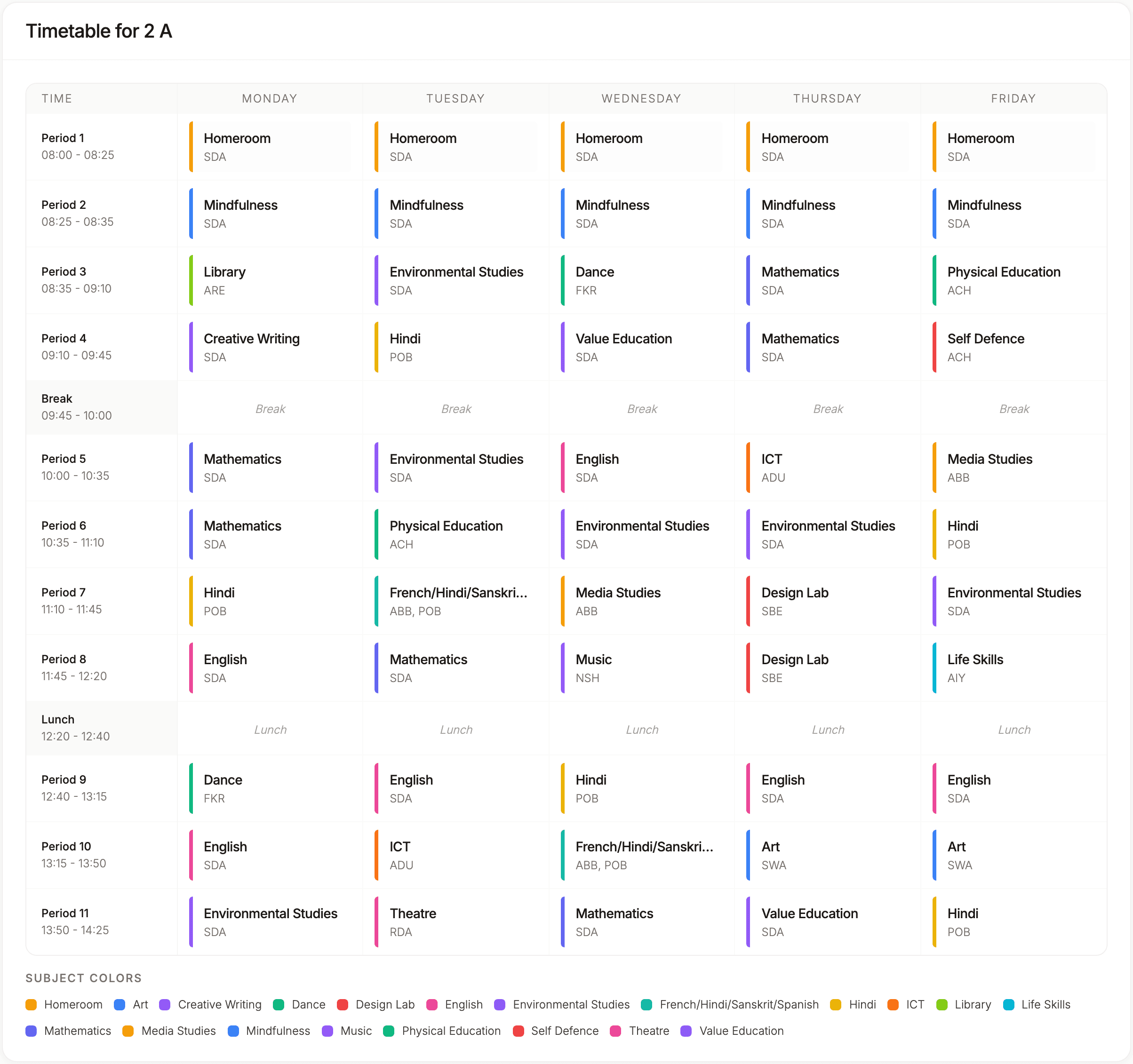
How it works
From your school data to a published timetable in four steps
Step 1
Add your school once
Enter your teachers, subjects and grades, or import them from Excel templates. Create sections in one go (type A-C to get A, B and C), set your bell times with breaks, and choose your working days, Saturday included.
Step 2
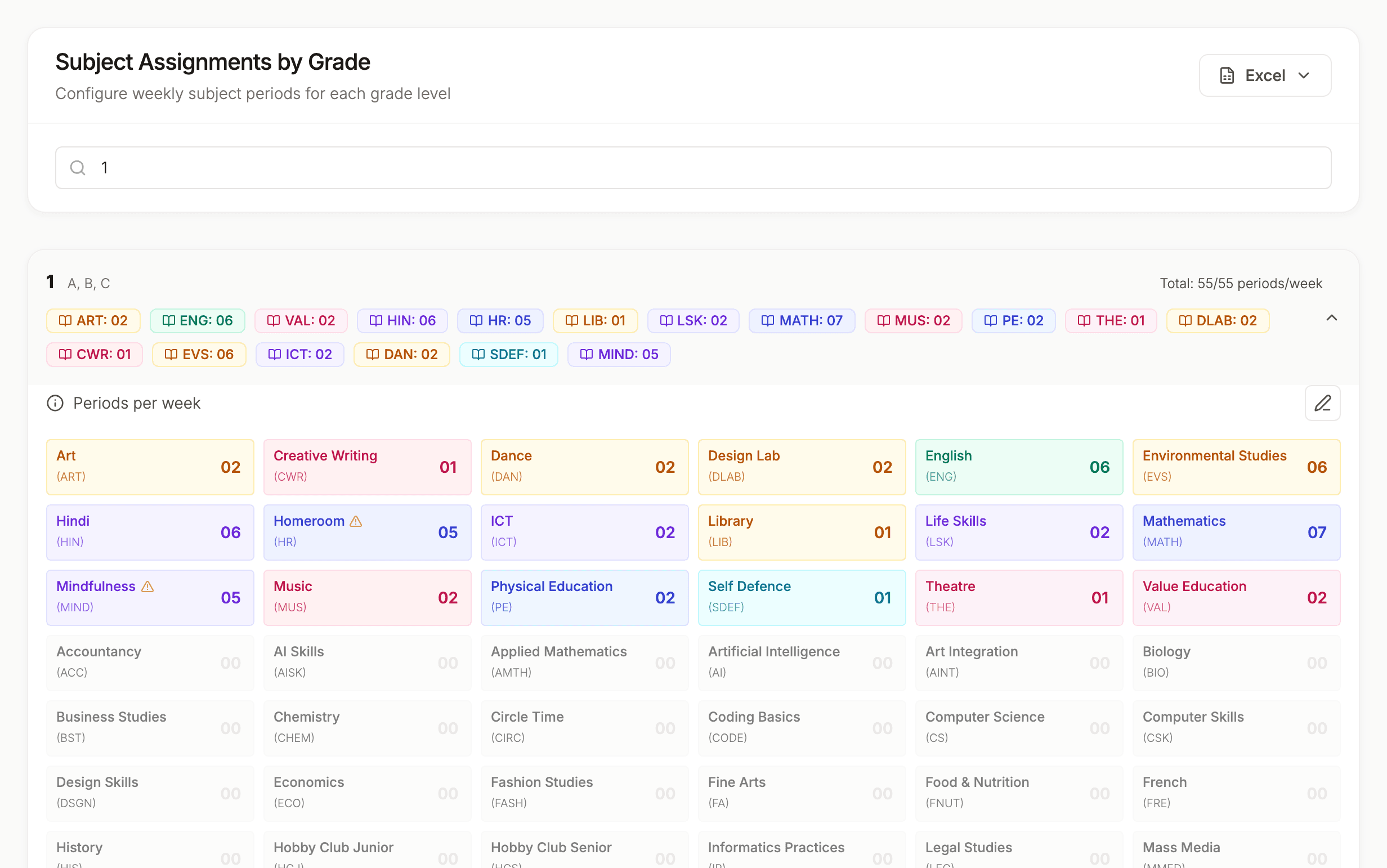
Tell it how many periods each subject gets
Set the periods per week for every subject in every grade and who teaches it. Lock in what must not move: the class teacher period, fixed periods at exact times, team teaching, and elective blocks that run Together, Split or Pinned across sections.
Step 3
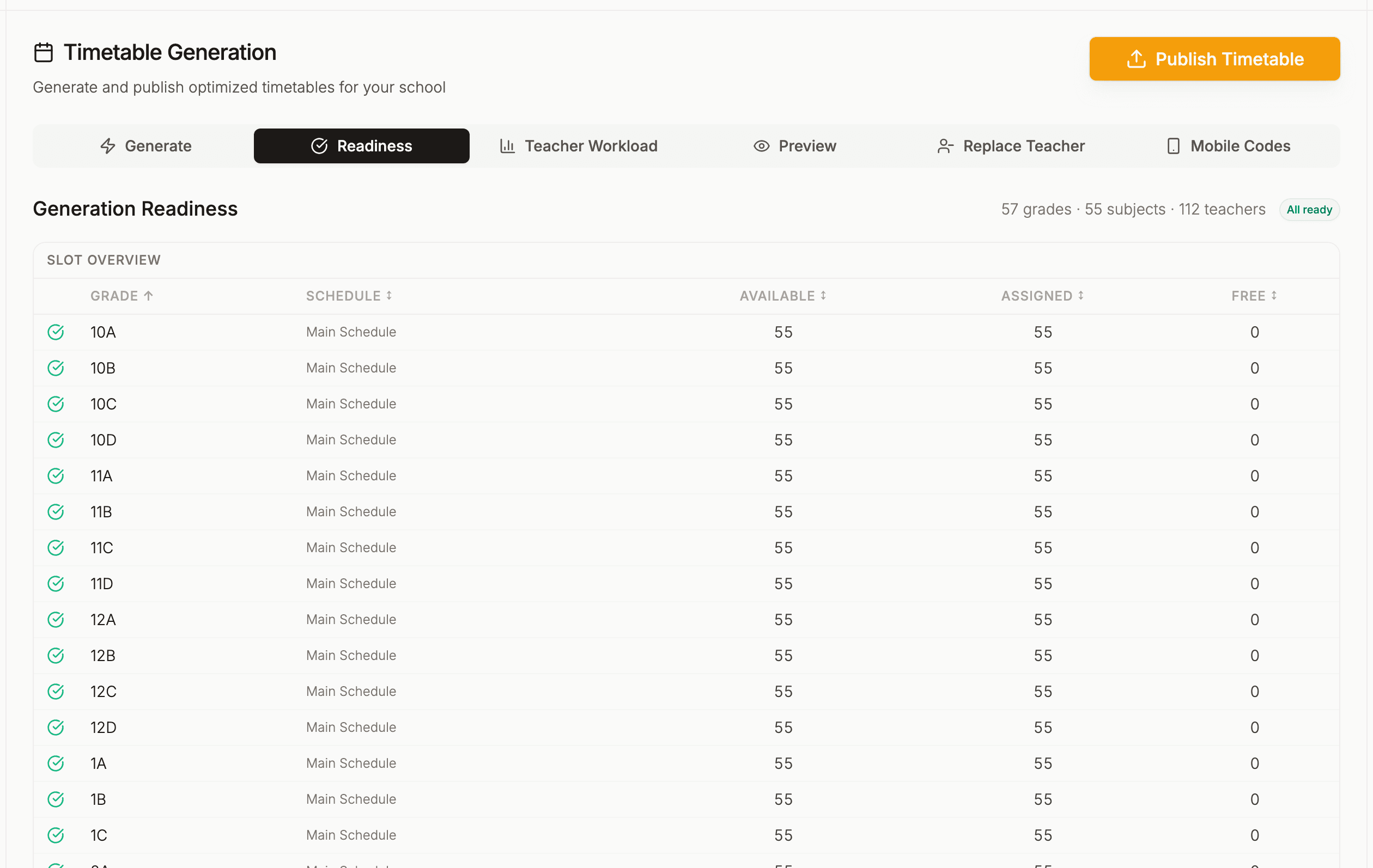
Check readiness before you generate
The Readiness tab runs a check across every grade and shows what is missing: subjects without a teacher, grades with too many or too few periods for their bell schedule, and unused subject groups.
Step 4
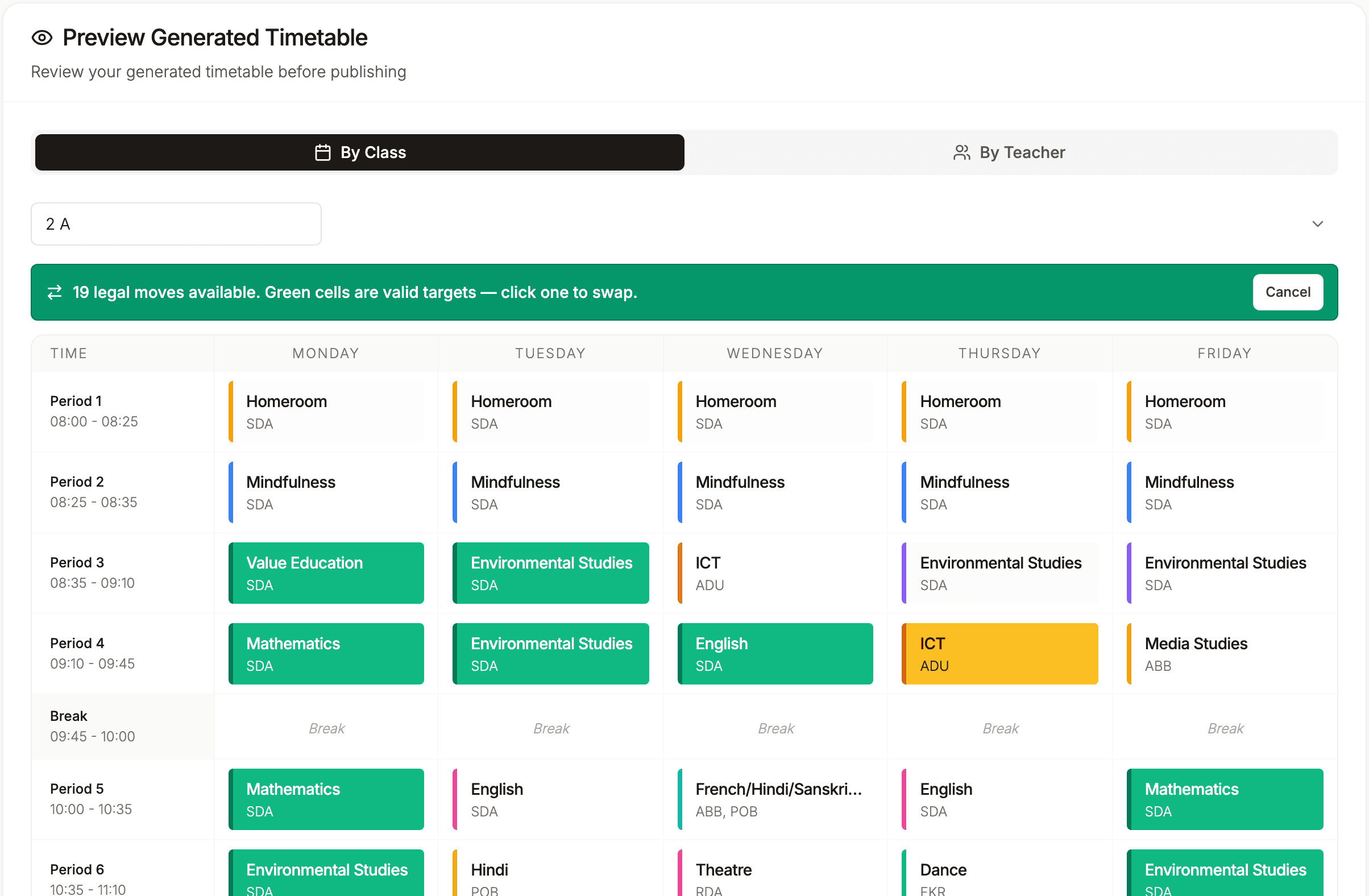
Generate, review and publish
Click Generate and the whole school is scheduled in a few minutes, in batches of up to 10 grades. Review it by class or by teacher, swap single periods if you want, then publish it for your staff.
Built for Indian schools
Periods, streams and proxies the way your school runs them
CBSE, ICSE and State Board
You set the periods each subject gets, so the timetable follows whatever norms your board and school use. TimeIt360 does not check or certify a timetable against any board’s rules.
Class 11 and 12 streams
Science, Commerce and Humanities each keep their own subjects and teachers, and shared elective blocks can be pinned to fixed periods so the hardest part of the senior timetable is placed first.
Class teacher period and zero period
Name your periods the way your school does, give the class teacher the first period of the day, and keep separate bell schedules for regular days, exam days and half days.
Proxies the same morning
When a teacher is absent, the Substitutions page lists who is free for each period. Pick a substitute, keep the record, and email the day’s list to staff. Teachers on the iPhone app get a push notification.
FAQ
Questions about generating a timetable
How does an automatic timetable generator for schools work?
You enter your teachers, subjects, grades and bell times once, and set how many periods each subject gets in each grade and who teaches it. TimeIt360 then places every period for the whole school, respecting pre-assigned periods, the class teacher period and visiting teachers’ hours, so no teacher is booked in two classes at the same time.
How long does it take to generate a school timetable?
A full school takes a few minutes from start to finish. It is not instant. Schools with more than 10 grades are generated in batches of up to 10 grades, with progress shown batch by batch, and an interrupted run can be continued from where it stopped.
What happens if the timetable cannot fit every period?
Generation never double-books a teacher. If a few periods genuinely cannot be placed, every other grade is still fully scheduled and the result names each gap in plain language: which grade, which subject, how many periods short, and a suggested fix. Because each run is randomised, retrying the affected batch often closes a gap without changing any data.
Can I change the timetable after it is generated?
Yes. Before publishing you can swap single-teacher periods on the preview, and after publishing you can edit the live timetable with undo. You can also replace a teacher across all their periods, or only some of them, without regenerating the whole school.
Does it handle proxies when a teacher is absent?
Yes. The Substitutions page shows available substitutes based on your published timetable. You pick one, the cover is saved as a record for the year, and you can email the day’s list to staff. The published timetable itself stays unchanged.
Is it a CBSE timetable generator?
TimeIt360 works for CBSE, ICSE and State Board schools alike. You decide the periods per subject for each grade, so the timetable follows your board’s and your school’s norms. It does not check or certify a timetable against any board’s rules.
Can I export the timetable?
Yes. Published timetables can be exported as PNG images or Excel files at any time, for sharing or printing.
Learn more
Ready to generate your school timetable?
Full access to every feature from day one, with unlimited students and teachers. Cancel anytime and export your data.